
Sandbox and Level Editor Guide
How Sandbox mode works in We March as One: the level editor, unlimited armies, the PERKS screen, and why it is the best place to test a formation.
Sandbox is the mode where We March as One stops being a campaign and becomes a toy. You build the level, you build both armies, you set the terrain, and then you watch tens of thousands of shapes fight each other.
It is also the most underused mode in the game, which is a shame, because it is the fastest way to learn what the other modes are actually doing.
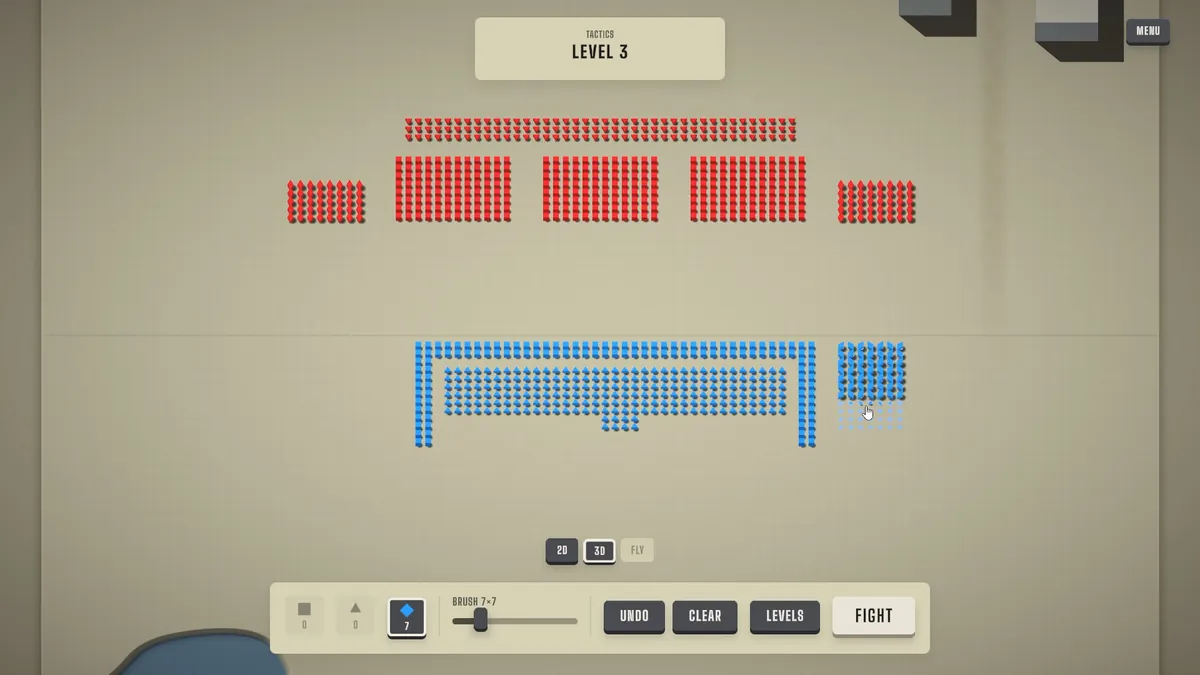
The units you can place are the same seven shapes from the unit roles guide→.
What you can do in Sandbox
- Build a battlefield with the level editor: terrain, buildings, rivers, deployment zones.
- Set up both sides, including the enemy army — which no other mode lets you do.
- Fight at any scale, from a handful of units to armies large enough to slow the simulation.
- Apply perks freely through a PERKS screen that mirrors the campaign's upgrade tree.
That last point is the one that makes Sandbox genuinely useful rather than just fun.
The PERKS screen is a free upgrade tree
The Sandbox PERKS screen groups the campaign's upgrades by shape and by army, with the in-game note that these are "the same perks as the upgrades screen, with no tree to climb."
What that means practically:
- You can test a campaign upgrade before spending gold on it.
- You can test combinations of upgrades that would take a full campaign to afford.
- You can compare a shape with and without its perks in two battles, back to back.
Very few players use this, and it is the single best gold-saving trick in the game. If you are about to spend 1,050 gold on a tier III node and you are not certain it will change your battles, test it in Sandbox first.
Keep the army identical between the two tests and change only the perk. If the battle outcome does not change, the node is not worth the gold for your formation — regardless of what the tooltip promises.
Building a useful test level
Most Sandbox levels people build are not useful, because they are designed to be fun rather than informative. A test level should isolate one variable.
To test a formation: identical armies on both sides, flat open terrain, no buildings. Run it three times with three formations. Whichever formation wins most often is the one your campaign army should use.
To test a unit: one shape against one shape, equal gold. Then mixed ratios. The result tells you which shape actually wins a straight trade, which the campaign never shows you cleanly.
To test a perk: the same battle twice, perk off then perk on, with everything else identical.
To test a map type: rebuild the terrain feature you are stuck on — a bridge, a gate, a city street — and try formations against it until one holds.
The Blank Canvas achievement
Blank Canvas — start a battle in Sandbox — is unlocked by roughly 17% of players. It is one of the easiest achievements in the game and it requires nothing but opening the mode and pressing start.
If you are chasing completion, do it early. There is no reason to leave a free achievement sitting there.
Sandbox unlocks work like the campaign
Sandbox does not hand you the entire unit roster on day one. Units and upgrades you have not yet encountered in the other modes are not available to place, which means Sandbox grows as you play the campaign.
That is deliberate: the mode is a laboratory for things you have already met, not a way to skip the campaign. If a shape is missing from your Sandbox palette, you have not unlocked it yet in Campaign.
Nothing earned in Sandbox carries into the campaign — no gold, no unlocks, no capacity. It is a testing ground and a toy, and it is excellent at both.
Official source: We March as One on Steam ↗ — the store page describes Sandbox as the mode with a full level editor, custom armies and large-scale unit experiments.
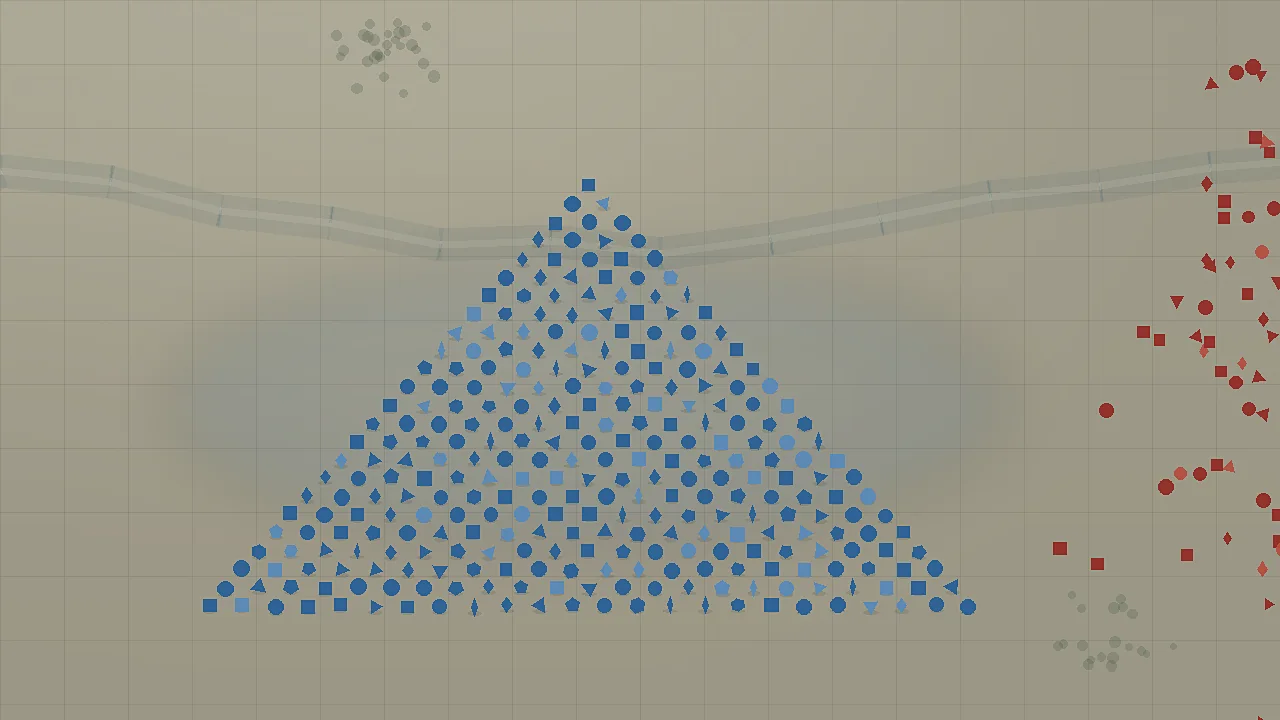
Five experiments worth running
- Width versus depth. Same gold, one wide army and one deep army, on open ground. The result usually surprises people.
- Triangle front versus circle front. Which one breaks a square line faster? The answer changes how you paint every wedge.
- The King's aura value. A dense block with the King versus the same block with the King at the edge. The difference is the aura's real worth.
- Rhombi in a corridor. A rhombus line in a gate versus a circle line in the same gate, same gold. This is the experiment that makes rhombi make sense.
- Horde survival. Build a horde and see how many your standard formation kills before it breaks. Then change one variable and repeat.
Sandbox checklist for campaign players
- Test any tier III node here before buying it.
- Rebuild the map you are stuck on and try three formations.
- Use it to answer "is this shape worth its cost" without risking campaign gold.
- Grab Blank Canvas while you are there.
Sources
- We March as One on Steam (official store page) ↗
- Steam Community discussions for We March as One ↗
- We March as One news hub on Steam ↗
FAQ
How do I unlock Sandbox mode?
Sandbox is one of the game's five modes. You can start a battle immediately, which is what the Blank Canvas achievement rewards.
Can I play as the enemy in Sandbox?
You can set up both sides, which is what makes Sandbox the only place to test an enemy formation against your own.
Do Sandbox units carry into Campaign?
No. Sandbox is standalone, and units or perks used there do not transfer.
Why are some units missing from my Sandbox palette?
Units and upgrades unlock in Sandbox only after you have encountered them in the other modes, so the palette grows with your campaign progress.
Is there a unit limit in Sandbox?
There is no campaign budget, so the practical limit is your machine's ability to simulate the units. Very large armies will slow down.